
Nine reports behind one filter
Narrow once — mobile traffic, Germany, last quarter, one campaign — and every report narrows with it. The filter lives in the address bar, so the report you are reading is a link you can send.
What the reports are
Performance, audience, geography, devices, referrers, time of day, conversions, campaigns, and the raw event log. The first tab is a summary of the other eight, so the drill-down is a choice rather than the only way in.
It tells you, rather than waiting to be asked
An email the first time each code is scanned, so you know the print run arrived and works. Another if a destination stops answering, so you hear it from us rather than from a customer. And one when scans spike well above that code's own normal.
All of it can be switched off per code or per tag — a tag for test codes can be muted once and stay quiet.
Comparison
Subject against subject: two codes, two campaigns or two tags on the same axes over the same dates. Comparing a period with the one before it answers a much narrower question, and usually not the one being asked.
Getting it out
CSV and Excel export from any report, and scheduled email delivery — daily, weekly or monthly — to the people who are never going to sign in and look.
Save a filtered view as a dashboard and it opens that way next time, for everybody: one on the free plan, five on Starter. Google Analytics 4 takes a field and a secret, on Starter — sent from our side, so a scan an ad blocker would drop still arrives.
Bots are separated, not silently dropped
Automated traffic is identified and excluded from the figures by default, and can be shown. Silently discarding it would make the numbers disagree with the redirect logs for reasons nobody could work out later.
AI assistants are counted apart from both, and named: ChatGPT, Claude and Perplexity fetching a page on somebody's behalf is a person asking, not a crawler indexing and not a scan.
See it happen
What it looks like
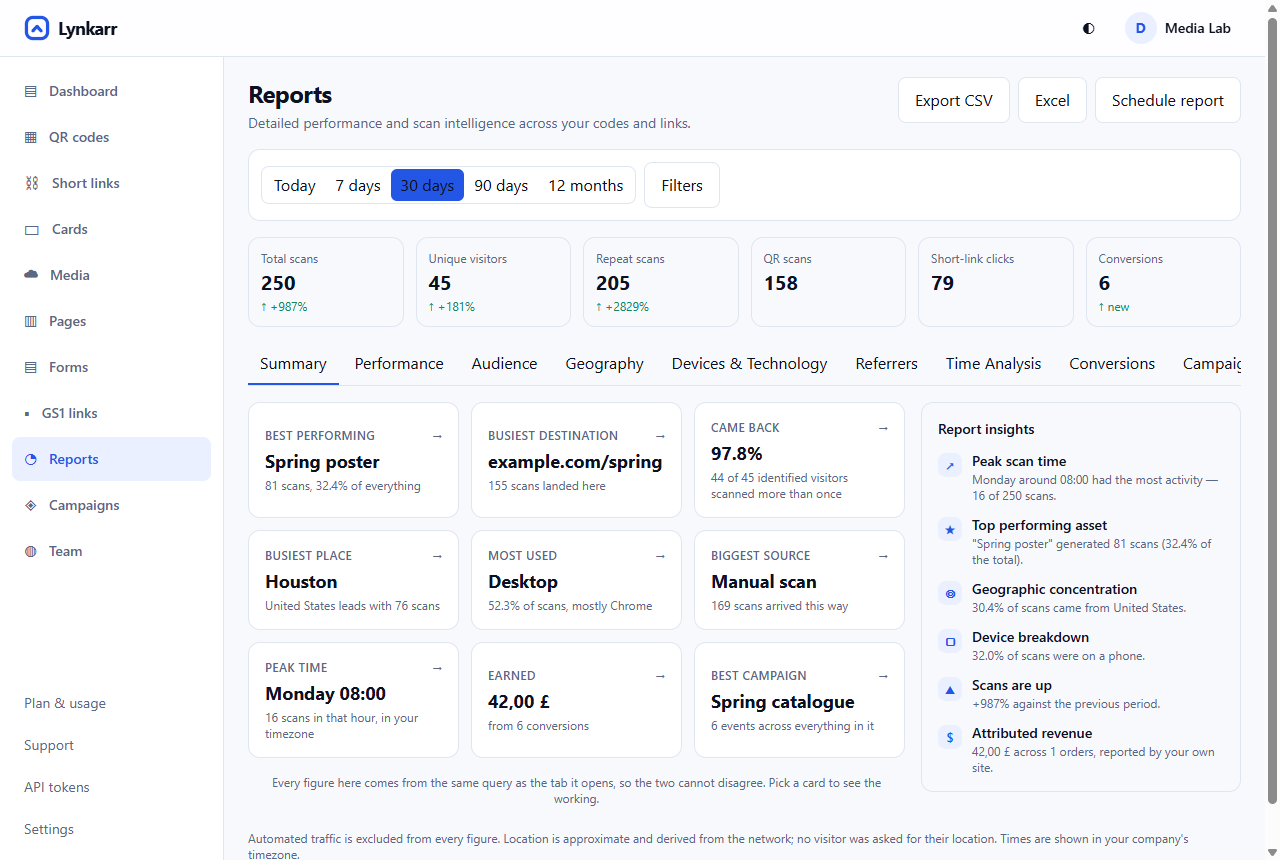 1Range and filters — every report narrows together2Headline figures, against the period before3Export to CSV or Excel, or schedule it by email
- Range and filters — every report narrows together
- Headline figures, against the period before
- Export to CSV or Excel, or schedule it by email
What you can do with it
Narrow once, and nine reports narrow with you
Mobile traffic in Germany last quarter from one campaign: set it once and performance, audience, geography, devices, referrers, time, conversions, campaigns and the raw events all answer that question. The filter lives in the address bar, so the report you are reading is a link you can send.
Comparison that is subject against subject
Two codes, two campaigns or two tags on the same axes over the same dates. Comparing a period with the one before it answers a much narrower question, and usually not the one being asked.
Out of the app and into somebody's inbox
CSV and Excel export from any report, and scheduled email delivery — daily, weekly or monthly — to the people who are never going to sign in and look.
Bots separated, not silently dropped
Automated traffic is identified and excluded by default, and can be shown. Discarding it quietly would make these numbers disagree with the redirect logs for reasons nobody could reconstruct.
Getting there
-
Set the range
And the filter, if you have a question in mind.
-
Start on the summary
It is a digest of the other eight, so the drill-down is a choice.
-
Drill where it looks odd
Every tab is the same population, cut differently.
-
Send it or schedule it
The URL is the report. Or have it emailed.
More in the same place
How to do it
Questions
How far back does it go?
Daily summaries are kept indefinitely; individual events are kept for the retention window on your plan. A filter on something the summaries do not carry is answered from events, and the page says so when that happens.
Why do your numbers differ from my web analytics?
Usually bots. We exclude them by default and count a scan at the redirect, which is before anything on your site has had a chance to load or be blocked.
Can I see individual people?
No. Visitors are a salted fingerprint that recognises a repeat visit without identifying anybody, and no IP address is stored.
Try it with one code
The free plan has no expiry and asks for no card, and the analytics behind it are the same ones a paying customer gets.
Free forever for one person. No card, and 10,000 scans a month included.